New: Add Custom Domains to Feedback forms
New Feature
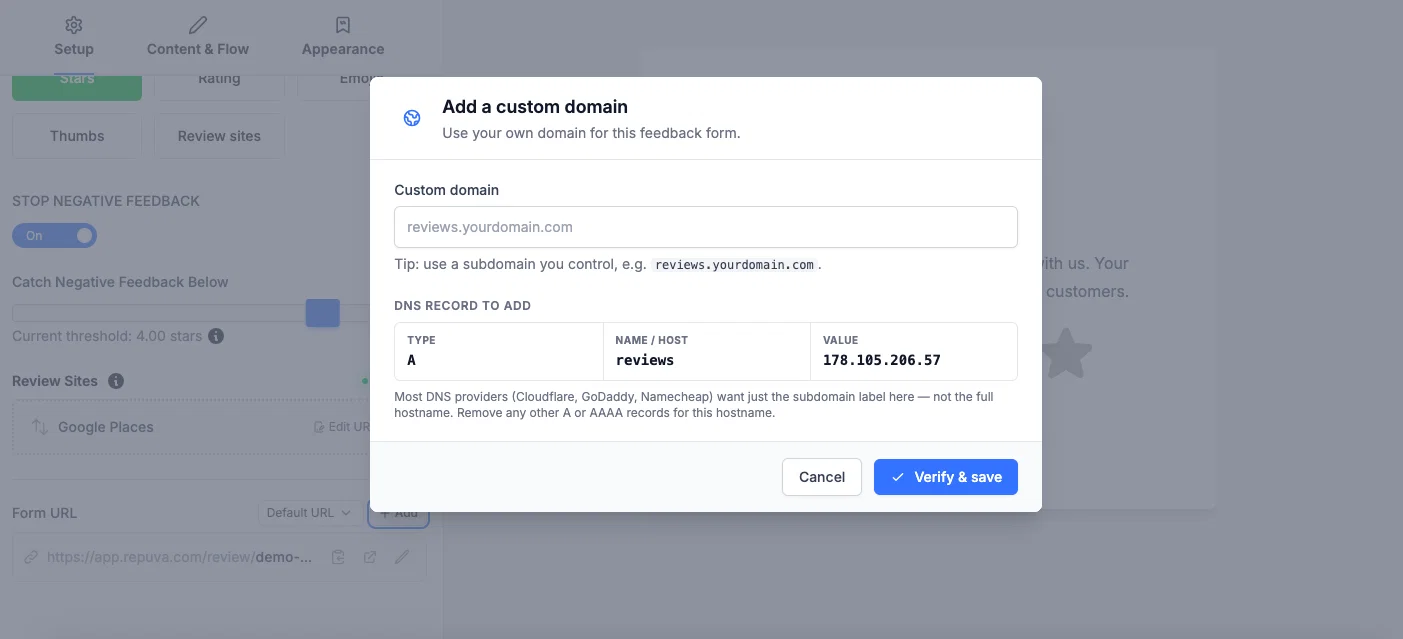
As a part of our ongoing improvements to the platform, you can now add your own custom domain to the hosted feedback form.
To set it up:
- Under Review Tools, go to Feedback forms
- Click edit on the feedback form you want to use a custom domain on
- Click " Add " under Form URL
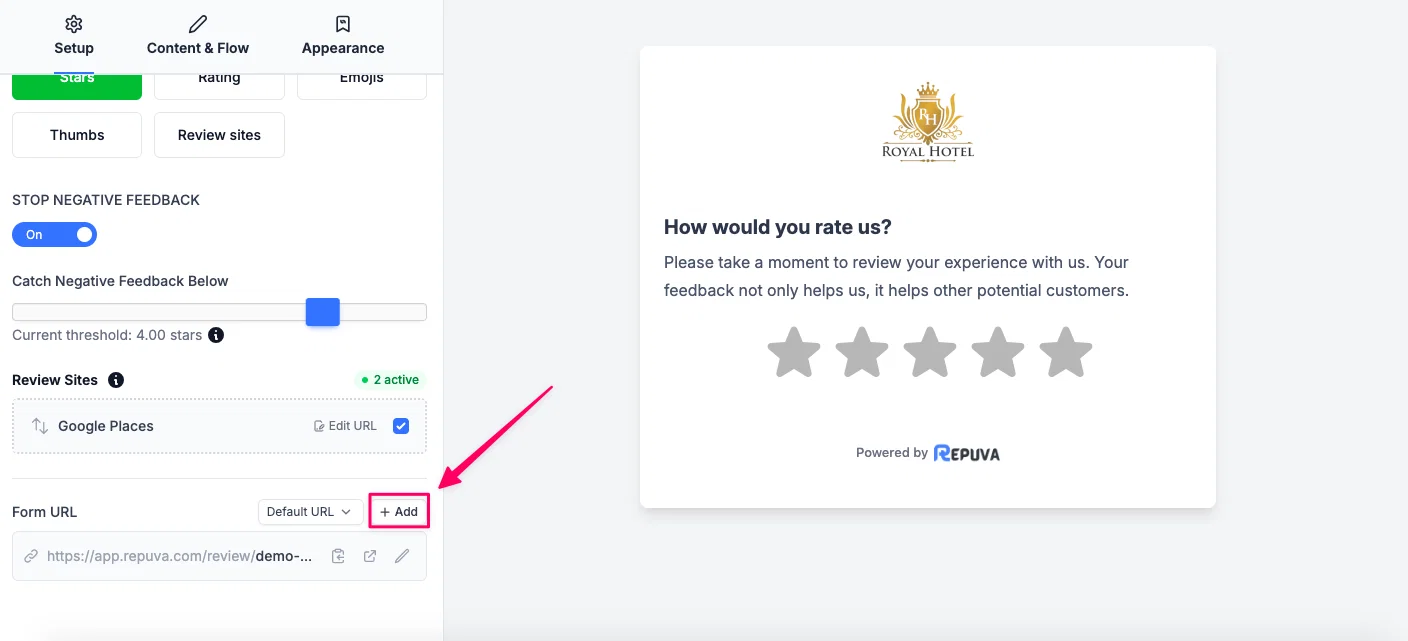
After that, enter the subdomain you want to use, e.g., reviews.yourcompany.com
Now you will get details of the DNS record that you need to add to your domain provider settings. If you're not aware of that, contact your developer to add this record to your domain DNS settings.
Note: The original URL will continue to work as before, but this gives you the option to use your own address if you wish.
3